
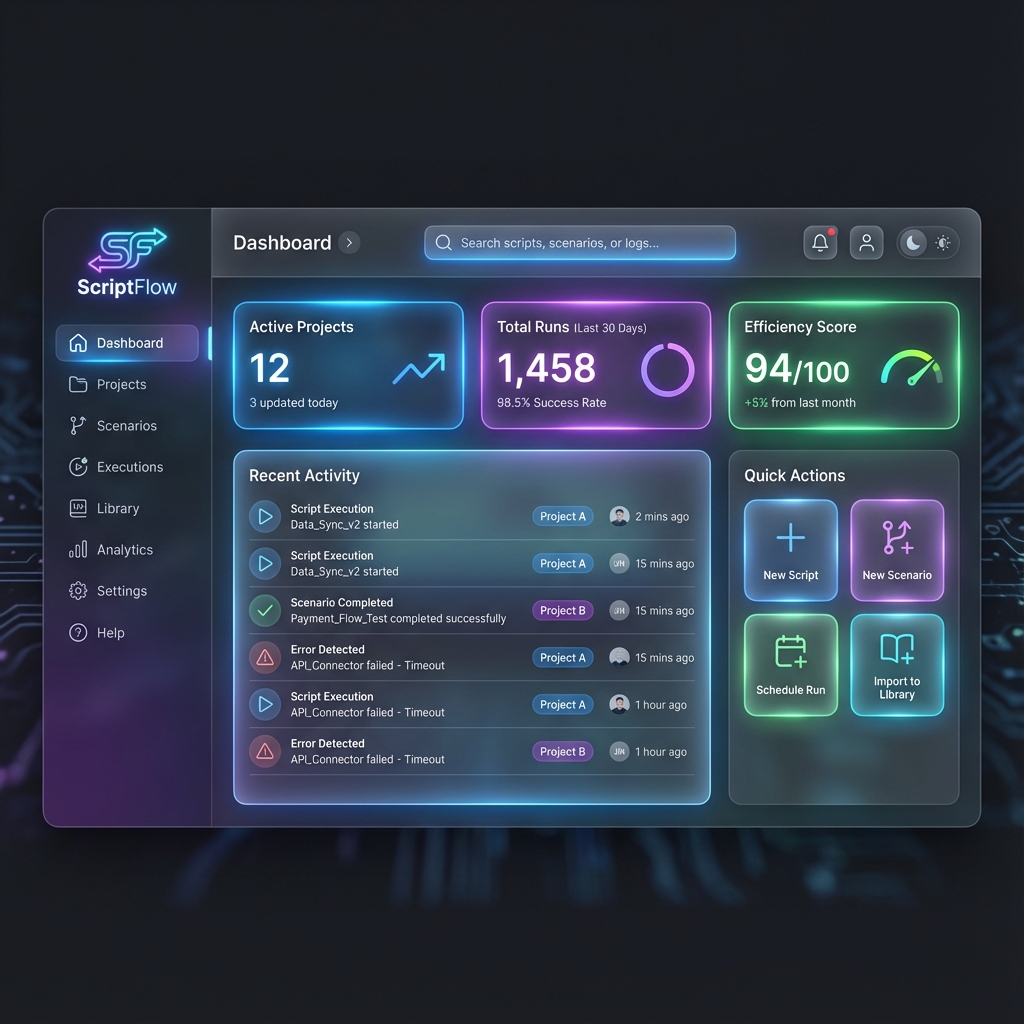
The all-new ScriptFlow dashboard brings your entire automation ecosystem into one view.
For years, automation developers have had to jump between tabs, struggle with version control, and fight against clunky interfaces. We knew there had to be a better way. Today, we're thrilled to announce the general availability of ScriptFlow v2.0.
Why we built ScriptFlow
As easy as "no-code" tools promise to be, professional automation often requires... well, code. Google Apps Script is powerful, but the IDE is basic. Make.com is incredible, but managing complex scenario logic can get messy. ScriptFlow bridges this gap.
Key Highlights
- Unified Workspace: Edit Apps Script and manage Make.com scenarios side-by-side.
- Modern IDE Experience: specialized editor with Monaco (VS Code) compatibility.
- Instant Deployment: Seamless CLASP integration for one-click pushes.
- Dark Mode: A beautiful, eye-friendly dark theme for late-night coding sessions.
Deep Integration with Make.com
One of the most requested features was better visibility into Make.com workflows. with v2.0, you can browse, search, and even trigger your scenarios without leaving the ScriptFlow interface. It's control central for your automation empire.
Better together with Apps Script
We haven't forgotten our roots. The Apps Script integration is faster and more reliable than ever. Manage deployments, version your code, and sync changes instantly.
What's Next?
This is just the beginning. We're working on AI-assisted code generation, deeper n8n integration, and team collaboration features. Stay tuned!
Ready to experience the flow?
Get started with ScriptFlow v2.0 today and supercharge your productivity.